 Referat
How to transcribe an interview
Record the interview with your phone between you and the other person, let a transcription app write it out, then listen through and check every quote against the audio. Typing an interview out by hand takes several times as long as the recording itself. An app gets you a first draft in minutes, and your job becomes correcting names and checking the words you'll actually use. With Referat on an iPhone, the recording and the transcript never leave the phone.
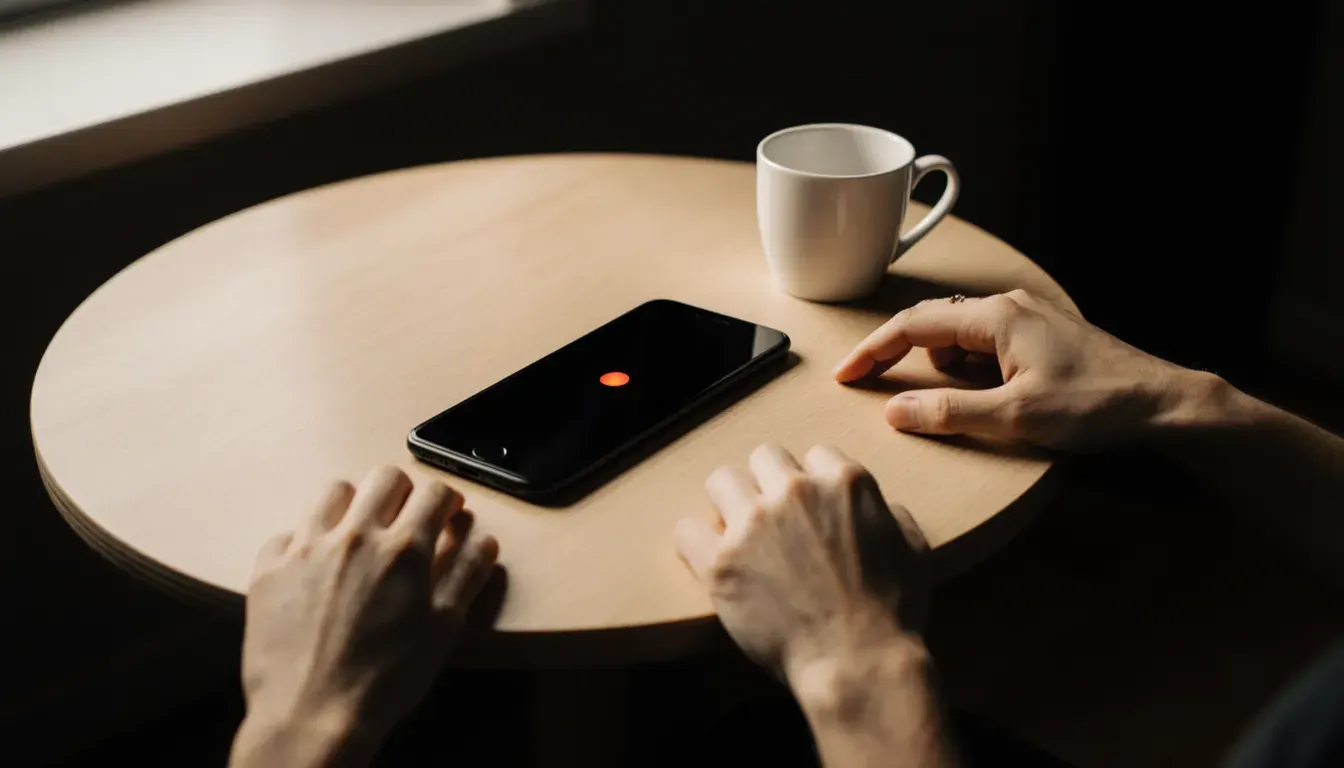
Transcribing an interview, step by step
- Ask first
Get a yes before you start, and again on the recording.
- Set up the phone
Flat on the table between you, in a quiet room, Do Not Disturb on.
- Record and mark
Tap Mark this moment when you hear a quote you'll use.
- Transcribe and name
The app writes it out. Rename the speakers once.
- Check the quotes
Tap a word to hear it. Fix names, mark what you can't hear.
Before you press record
Tell the person you're recording and why, and ask if that's OK. Then ask again once the recording is running, so their yes is on tape too. In some places it's against the law to record a conversation without everyone's consent, and either way, it's the decent way to start.
Pick the quietest room you can. A café with an espresso machine sounds cozy and transcribes badly, and so does a room with music in the background. Turn on Do Not Disturb, because an incoming call on the phone you're recording with will interrupt the recording.
Record ten seconds of small talk and play it back. If you can hear both voices clearly, the app can too.
Recording on your iPhone
- Open Referat and tap Record.
- Put the phone flat on the table between the two of you, screen up, closer to whoever is quieter. Don't hold it in your hand: every movement turns into rustling on the recording.
- When they say something you know you'll want to quote, tap Mark this moment. Later it shows up as a bookmark with a timestamp.
- Tap stop when you're done. Referat starts transcribing right away, on the phone, even if you're offline.
Already have the recording? In Referat, tap Import audio file (m4a, mp3, wav, mp4 or mov), or share it from Voice Memos, Files or Mail and choose Referat. A video call you recorded works the same way.
From recording to transcript
Referat writes out the whole interview and gives each speaker a number. Tap Rename speakers to swap the numbers for names. You only do it once, and every line in the transcript updates.
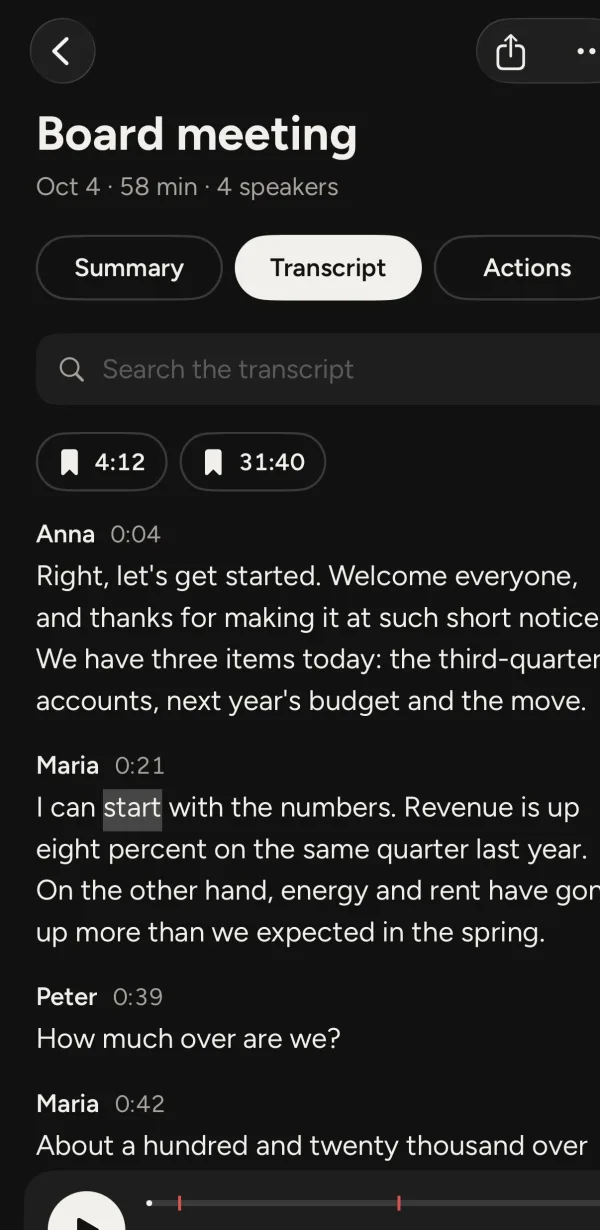 1Tap a name or a word to hear it2Moments marked while recording3Search for names to fix them
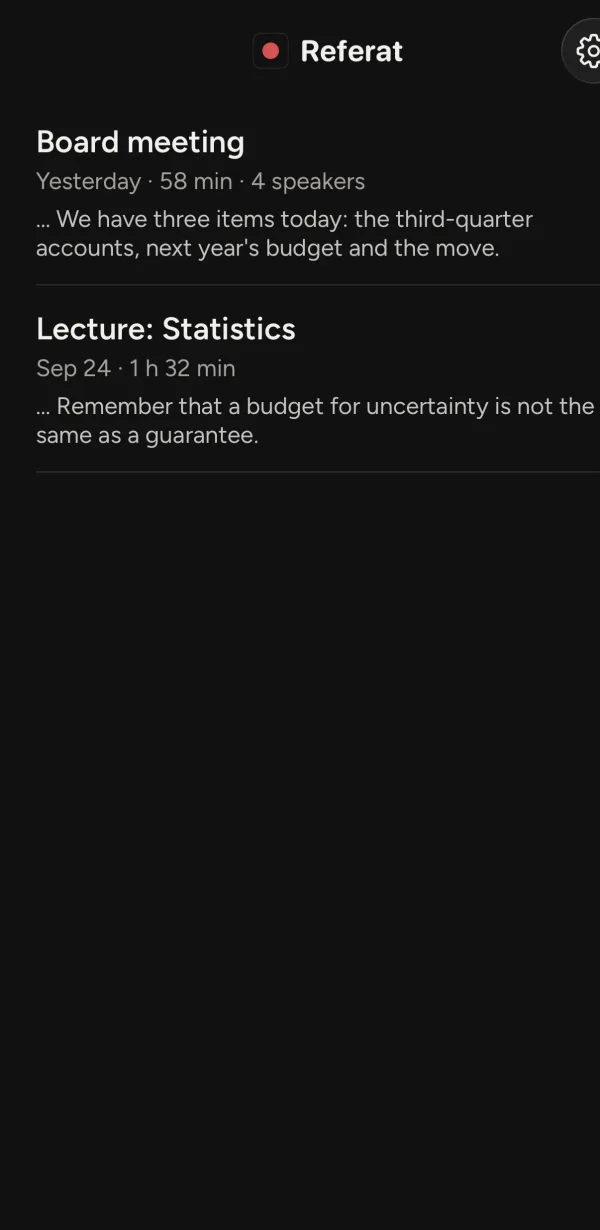 4Search every interview at once
- Tap a name or a word to hear it
- Moments marked while recording
- Search for names to fix them
- Search every interview at once
The first draft won't be perfect. Names, places and technical terms are where speech models get things wrong, so search for them and fix them. If a word is misspelled throughout, search finds every place it appears.
Check every quote against the audio
Never publish a quote you've only read in a transcript. In Referat, tap the speaker's name or any word to play the recording from that exact spot, and the words light up as they're spoken. Turn the speed down to 0.5× for a sentence that's hard to make out, or up to 2× to get through the parts you won't use.
If you can't make something out even at half speed, don't guess. Write [inaudible] and the time, so you or anyone checking can find the spot again.
Word for word, or clean?
There are two ways to write an interview out. Verbatim keeps every um, uh, repeated word and half-finished sentence. Researchers who study how people talk need that. Clean verbatim leaves out the fillers but never changes the meaning. That's what most journalists, students and HR people use.
Speech models like the one in Referat usually leave out ums and false starts on their own, so what you get is close to clean verbatim. If your method calls for every hesitation, add them as you listen through.
Exporting it and keeping it safe
Tap the share button and choose Text or PDF for a document, or Subtitles (SRT) if the interview is a video that needs captions. Paste the transcript into your article or thesis and keep the audio until you're done checking.
Interviews are often confidential. With Referat the audio, transcript and summary stay on your iPhone: there's no account and nothing is uploaded. If you're interviewing for a university project, read your institution's rules on where recordings may be stored, and delete the recording when your project's rules say to.
Referat costs $4.99, once. It transcribes English, Danish, German, French, Spanish, Italian, Portuguese, Dutch, Swedish, Norwegian, Japanese and Korean, and runs on iOS 17 or later. Interviewing over the phone? Referat doesn't record phone calls. For meetings with more people, read how to record a meeting on iPhone.